30 AUGUST 2026
How to check if AI is recommending your business (step-by-step)
Something has changed in how people find businesses.
A year ago, someone looking for a web designer in Shah Alam would Google it.
Today, a growing number of them are opening ChatGPT, Gemini, or Perplexity and just asking.
"Who are the best web designers in Shah Alam?" "Recommend a renovation contractor in Petaling Jaya." "What's a good restaurant near KLCC?"
And AI gives them a direct answer — with names, descriptions, and sometimes even links.
No scrolling through ten blue links. No comparing five websites. Just an answer.
The question is: is your business in that answer?
Here's how to find out.
Why this matters more than you think
When someone Googles your category, you at least have a chance to show up if your SEO is decent.
But AI recommendations work differently.
AI models are trained on data from across the internet — your website, your Google Business Profile, reviews, mentions in articles, directories, social media. It pulls all of this together to decide which businesses to recommend.
If your online presence is thin, outdated, or inconsistent, AI simply won't have enough to go on.
It won't recommend you. It'll recommend your competitor who has more to say about themselves online.
And you won't even know it's happening.
Step 1: Test ChatGPT directly
Open chat.openai.com and ask it the same questions your customers would ask.
Be specific. Use your actual location and service.
Try prompts like:
- "Who are the best [your service] in [your city]?"
- "Recommend a [your business type] in [your area] in Malaysia."
- "I'm looking for a [your service] near [your neighbourhood]. Any recommendations?"
Check if your business name appears. Check how it's described. Check if the information is accurate.
If your business doesn't appear at all, that's your answer.
If it appears but with wrong information — old address, outdated services, incorrect description — that's almost as bad. AI is telling potential customers the wrong things about you.
Step 2: Test Google Gemini
Open gemini.google.com and run the same prompts.
Gemini pulls heavily from Google's own ecosystem — your Google Business Profile, Google Maps reviews, and your website.
This means if your Google Business Profile is incomplete or your website is weak, Gemini is especially likely to skip you.
Pay attention to:
- Does your business appear?
- Is the description accurate?
- Does it mention your location correctly?
- Does it reference your reviews?
Step 3: Test Perplexity
Perplexity.ai is different from ChatGPT and Gemini because it actively searches the web in real time and cites its sources.
This makes it extremely useful for checking your business because it will tell you exactly where it's pulling information from.
Ask the same questions. If your business comes up, click the source citations. You'll see which pages — your website, your Google Business Profile, a directory listing, a review site — are feeding the recommendation.
If your business doesn't come up, search your business name directly on Perplexity and see what it finds. That tells you what AI knows about you right now.
Step 4: Search your business name specifically
On ChatGPT, Gemini, and Perplexity, search your actual business name.
"What do you know about [your business name]?" "Tell me about [your business name] in Malaysia."
This shows you exactly what AI thinks your business does, where you're located, what your reputation is, and whether any of that is actually correct.
Wrong information here is a serious problem — because AI doesn't always flag when it's uncertain. It just states things with confidence.
Step 5: Check what Google's AI Overview says
Back on Google, search your business category and location.
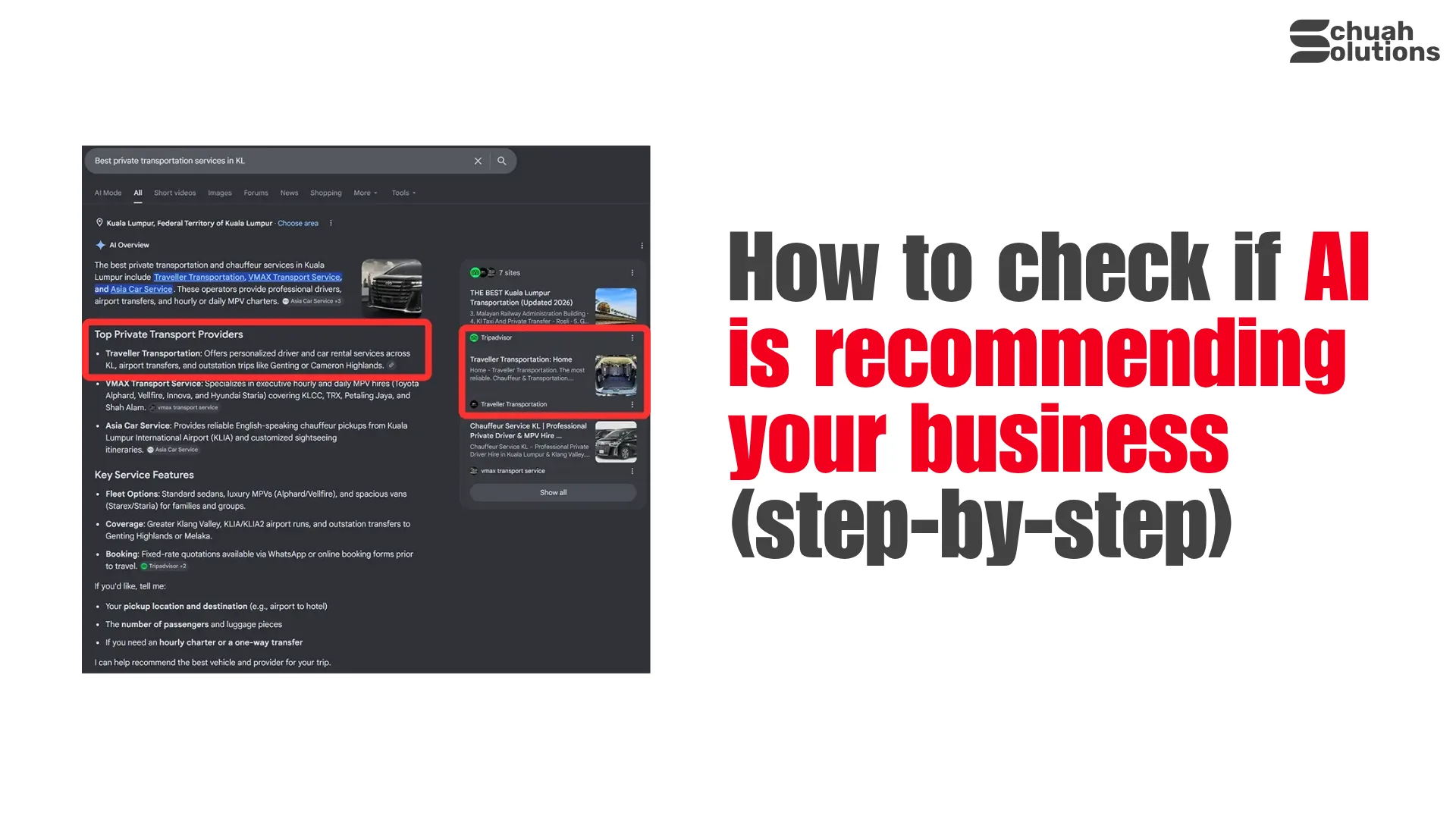
At the top of the results, you may see an AI Overview — a summarised answer generated by Google before the regular search results.
"web designer Shah Alam" "renovation contractor Subang Jaya"
If a competitor appears in the AI Overview and you don't, they are getting a level of visibility you're completely missing out on.
This is now prime real estate on Google — and most business owners haven't even noticed it exists yet.
What to do if AI isn't recommending you
If you went through all five steps and your business either doesn't appear or appears with wrong information, here's what moves the needle:
Fix your Google Business Profile. This is the single highest-impact thing you can do. Complete every field — services, hours, photos, description, website link. Gemini and Google's AI Overview pull directly from here.
Get more Google reviews. AI models treat reviews as a trust signal. More recent, genuine reviews mean more confidence in recommending you.
Make your website clearer. Your homepage should state exactly what you do, who you serve, and where you're located within the first few seconds. If AI has to guess what your business does from a vague homepage, it'll skip you for someone more obvious.
Get mentioned in more places. Directories, local business listings, industry articles, press mentions — every reference to your business name across the internet adds to the data AI has on you.
Keep your information consistent. Your business name, address, and phone number should be identical across your website, Google Business Profile, Facebook, and every directory you're listed on. Inconsistencies confuse both AI and Google.
What Now?
AI recommendations are becoming the new word of mouth.
If you're not showing up, you're quietly losing customers to competitors who are — and you won't even know it's happening because nobody tells you when AI skips your business.
We build SEO-optimised websites for small businesses in Malaysia that are structured to be found — by Google, and increasingly, by AI.
RM375/month. No downpayment. No hidden fees. No BS.
Contact us below. NOW.